

User Experience Survey Tool
UX Surveys That Capture Friction Before It Becomes Churn
Triggered in-product. Linked to real users. Segmented by role or plan.
Email-based UX surveys arrive too late and attract the wrong respondents. In-product UX surveys fire at the exact moment the experience is fresh - after a workflow, after a feature, after a support interaction - and link every response to the user who submitted it.
No credit card required
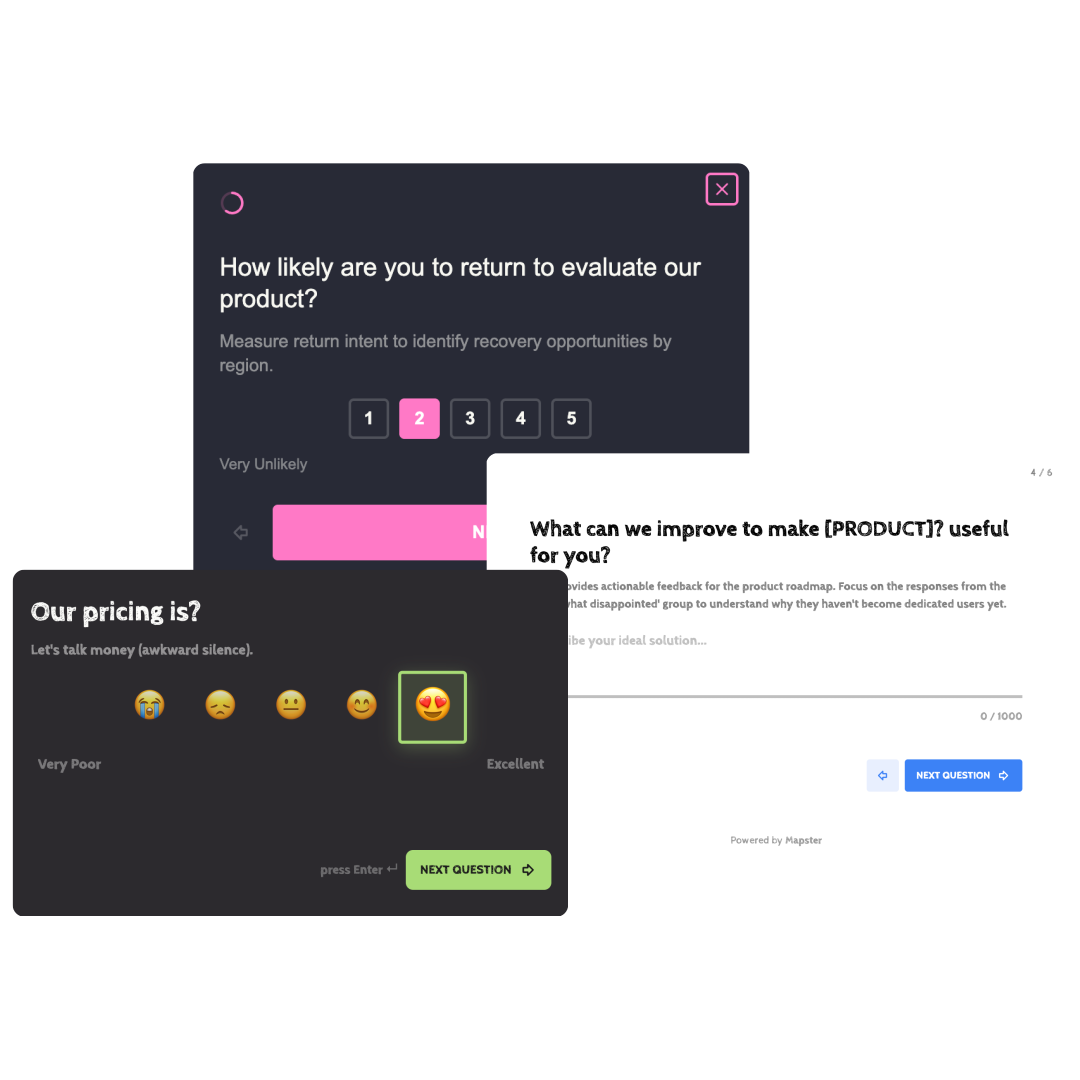
What is a UX survey?
A UX survey is a structured questionnaire that collects user feedback about the usability, design, and experience of a product interface. Unlike usability testing - which observes what users do - a UX survey captures what users think and feel after doing it.
UX surveys work best when triggered in context: immediately after a workflow, feature use, or support interaction. That timing produces more accurate recall and higher response rates than batch email surveys sent days later.
The goal is always the same - find where users struggle, quantify how widespread the problem is, and prioritise the fix.
Usability
Measures whether users can complete tasks with ease. Customer Effort Score (CES, 1–7) is the standard - high effort at the task level predicts churn better than any other single signal.
Satisfaction
Measures whether users are happy with the outcome. CSAT (1–5) captures satisfaction immediately after a specific feature use, support interaction, or onboarding moment.
Overall usability benchmark
The System Usability Scale (SUS) is a standardised 10-item questionnaire that produces a 0–100 score. Above 68 is average, above 80 is good. Use it to track usability across product releases.
Open-ended discovery
"What was the most confusing part of [task]?" - one open-ended question after a rating to get specific, actionable qualitative data. This is where the actual bug report lives.
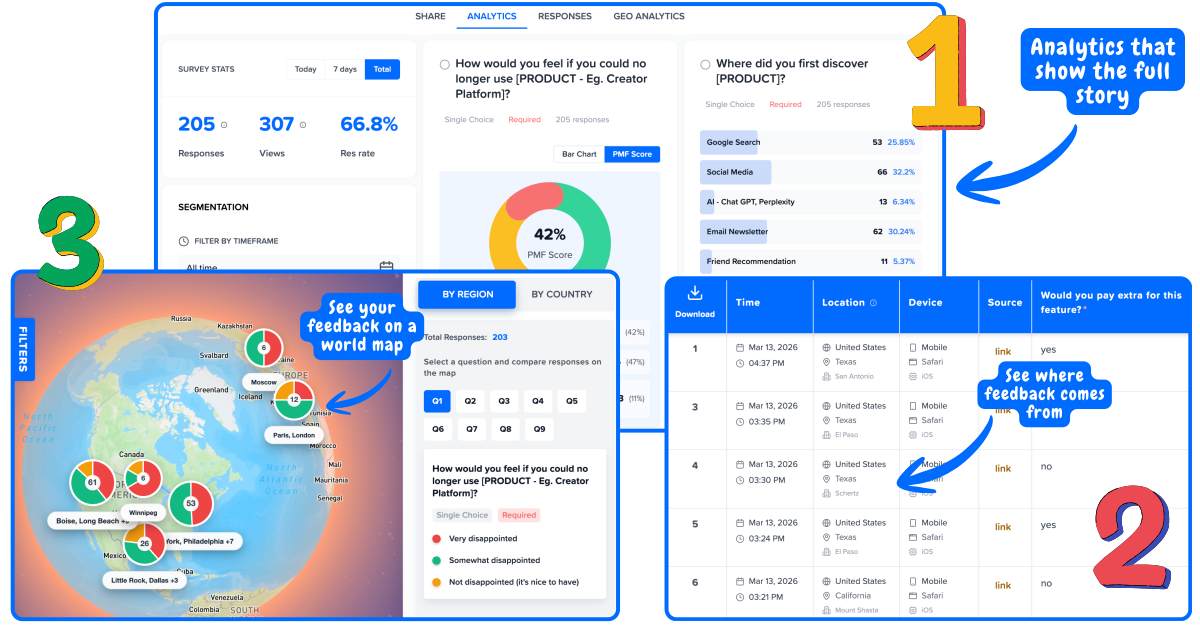
UX survey examples and questions
One rating question per survey. One open-ended follow-up to make the data actionable.
Task effort (CES)
After setup, checkout, or any complex workflow"The company made it easy to [complete task]." (1–7 agreement scale)
Follow-up: "What made this difficult?" - for scores 1–4
CES is the strongest predictor of churn at the interaction level. A score below 5.0 on a critical workflow is a product emergency.
Feature satisfaction (CSAT)
After first use of a new or updated feature"How satisfied were you with [feature name]?" (1–5)
Follow-up: "What could we improve?" - for scores 1–3
Send within 5 minutes of the feature interaction. Satisfaction recall degrades quickly - a next-day email survey measures memory, not experience.
Adoption intent
After a user completes an onboarding or feature tutorial"I would use this feature regularly." (1–5 agreement scale)
Follow-up: "What would make you more likely to use it?"
Adoption intent measured at first use predicts 30-day retention better than time-on-page or click depth.
Overall usability (SUS-style)
After 30 days of product use, or after a major redesign"Overall, I found the product easy to use." (1–5 agreement scale) - use the full 10-item SUS for benchmarking
Follow-up: "What part of the product feels most difficult to use?"
The full SUS requires exactly 10 alternating positive/negative items in order. For a quick pulse, a single ease-of-use question is sufficient.
Open-ended discovery
Standalone, or as a follow-up after any rating"What was the most confusing part of [task/feature/workflow]?"
Follow-up: No follow-up needed - this is itself the follow-up.
Qualitative UX survey responses surface specific bugs, copy problems, and navigation failures that ratings cannot identify. Always pair a rating with an open-ended question.
UX survey design principles
The design of the survey determines the quality of the data. These are the decisions that matter.
One question per survey
The most common UX survey design mistake is length. A single rating question plus one open-ended follow-up achieves 3–5× higher completion rates than a 10-question form. Triggered in-product, completion rates above 40% are achievable. A 10-question survey achieves 5–8%.
Trigger in context, not in batch
Fire the survey within seconds of the interaction you want to measure - not in a weekly digest email. In-context timing produces more accurate recall, higher emotional fidelity, and response rates 2–3× higher than asynchronous email surveys.
Link responses to user attributes
An average UX score without segmentation is almost useless. A CES of 4.8 could hide a score of 6.2 for power users and 2.9 for new users. Link every response to the user who submitted it - plan, role, cohort, feature usage - so you can isolate which users are struggling.
Use standardised scales
CES uses a 1–7 agreement scale. CSAT uses 1–5. SUS uses a specific 10-item questionnaire with alternating positive/negative statements. Deviating from these standards breaks comparability with industry benchmarks and with your own historical data.
Ask about one task at a time
UX surveys that ask "how easy was it to use the product overall?" are too vague to act on. Ask about a specific task: "how easy was it to set up your first survey?" or "how easy was it to invite a team member?" Specific questions produce specific answers that point to specific fixes.
Close the loop on qualitative responses
When a user says "the settings page is completely confusing," that is a bug report. Build a workflow to tag, route, and respond to UX survey qualitative responses - at minimum to product, at best back to the user. Closing the loop increases NPS by more than fixing the bug.
When to run UX surveys
Match the survey type to the moment. The wrong survey at the right time is still wrong.
CES
After setup or onboarding completion
Setup friction is the leading predictor of free-to-paid conversion failure. Fire a CES survey immediately after the setup flow ends - before they leave the page. Scores below 5.0 signal onboarding problems that will show up as churn in 30 days.
CSAT or CES
After first use of a new or updated feature
First use is the highest-stakes moment for feature adoption. A CSAT measures whether the feature delivered on its promise; a CES measures whether it was easy to use. Run both if the feature is complex - one for satisfaction, one for friction.
CES
After completing a key workflow
Multi-step workflows - data import, team invite, report generation - are where UX problems compound. Trigger CES at workflow completion. If a user abandons mid-flow, trigger it anyway - abandoned workflow CES is your most valuable data.
CSAT + CES
After a support interaction
Support interactions often happen because UX failed. Run CSAT to measure the support experience and CES to measure the effort required. High effort during support - even when resolved - is a strong churn signal.
SUS or NPS
After 30 days of product use
Overall usability benchmarks require enough product exposure to be meaningful. 30 days gives users enough breadth to evaluate the product holistically. The System Usability Scale (SUS) or NPS both work here depending on whether your goal is UX research or loyalty tracking.
SUS comparison
After a major redesign or migration
The value of SUS is its comparability. Run SUS before and after a redesign using the same 10-item questionnaire to get a clean before/after signal. A score drop of more than 5 points after a redesign is a regression that warrants rollback review.
Frequently Asked Questions
What is a UX survey?
A UX survey is a structured questionnaire that collects user feedback about the usability, design, and experience of a product interface. Common types include CSAT (satisfaction with a feature or interaction), CES (effort required to complete a task), the System Usability Scale (standardised 10-item usability benchmark), and open-ended discovery questions. UX surveys capture self-reported perception - they complement but do not replace observational usability testing.
What is a UX research survey?
A UX research survey is a survey used within a broader UX research process alongside usability tests, interviews, and analytics. It answers "how many users feel this way?" while qualitative methods answer "why?" UX research surveys include pre-test screeners, post-task questionnaires, post-study usability scores (SUS), and discovery surveys run before building features.
What is a user research survey?
A user research survey is broader than a UX survey - it includes any survey used to understand users' needs, behaviours, and attitudes. This covers generative research (what problems should we solve?), evaluative research (how well does this solution work?), and market research (who are our users and what do they want?). UX surveys and UX research surveys are both types of user research surveys.
What are good UX survey examples?
Five effective UX survey examples: (1) "The company made it easy to set up my account." (CES, 1–7) after onboarding. (2) "How satisfied were you with [feature name]?" (CSAT, 1–5) after first feature use. (3) "I would use this feature regularly." (1–5) after a tutorial. (4) "What was the most confusing part of [workflow]?" (open-ended) after a complex task. (5) The full 10-item System Usability Scale after 30 days of use for overall benchmarking.
How do I design an effective UX survey?
Five UX survey design rules: (1) One rating question plus one open-ended follow-up - no more. (2) Trigger in-product immediately after the experience - not in an email days later. (3) Use standardised scales (CES 1–7, CSAT 1–5, SUS 10-item) to enable benchmarking. (4) Ask about one specific task or feature - not the product overall. (5) Link every response to the user who submitted it so you can segment by plan, role, or cohort.
What is the System Usability Scale (SUS)?
The System Usability Scale (SUS) is a standardised 10-item UX questionnaire developed by John Brooke in 1986. It produces a score from 0 to 100. Above 68 is average, above 80 is good, above 90 is excellent. SUS alternates positive and negative statements to control for acquiescence bias and must be used with all 10 items in order. It is most useful for tracking usability trends across product releases and comparing against industry benchmarks.
Start running UX surveys inside your product
Trigger CES, CSAT, and open-ended UX surveys at the exact moment users interact with your product. Every response linked to a real user - segment by plan, role, or cohort. Free to start.
Launch Free UX SurveyNo credit card required