Free online poll maker with sentiment tracking
Free Online Poll Maker
Go beyond vote counts - understand how your users really feel
Create a poll in minutes. Segment results by user group, plan, or location.
No credit card required
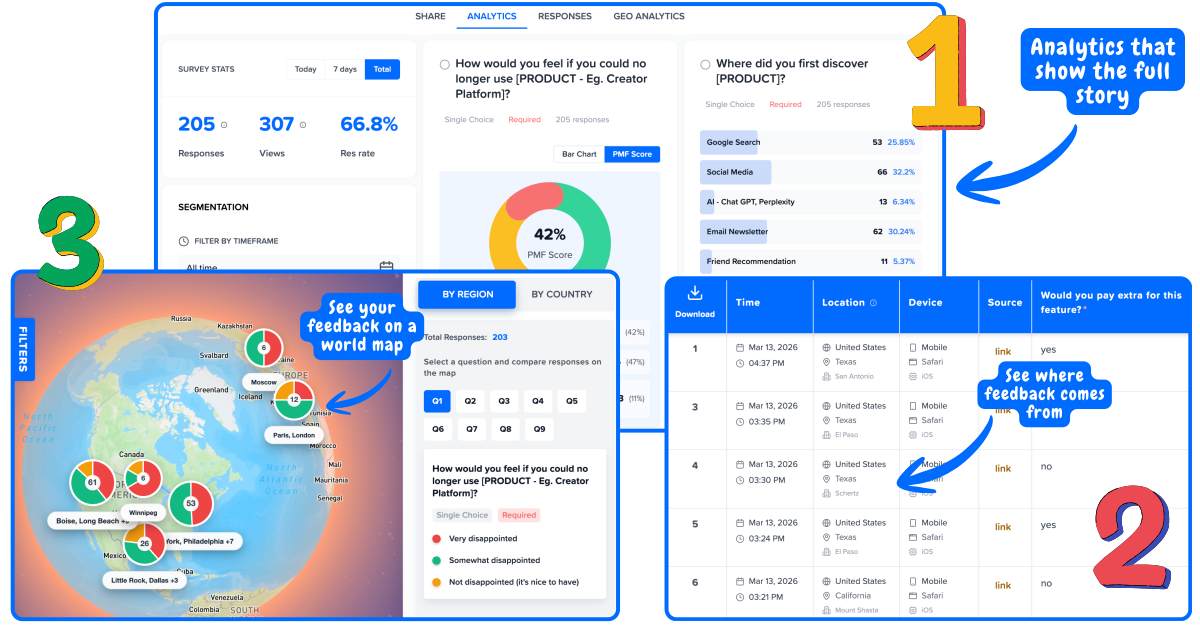
Sentiment analytics, not just vote counts
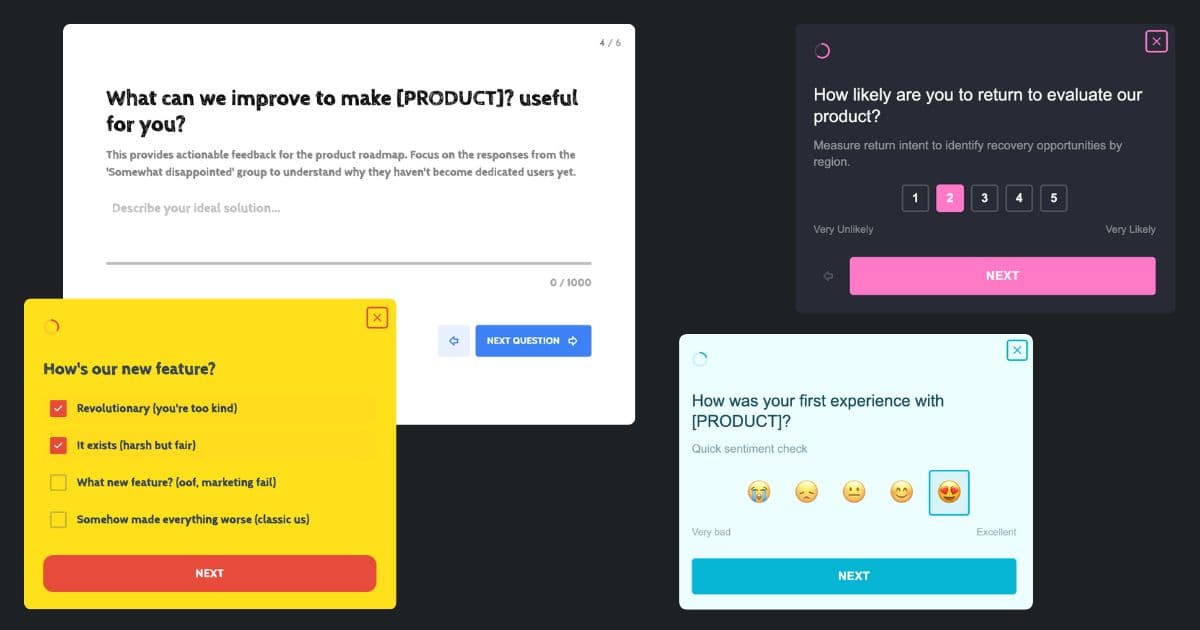
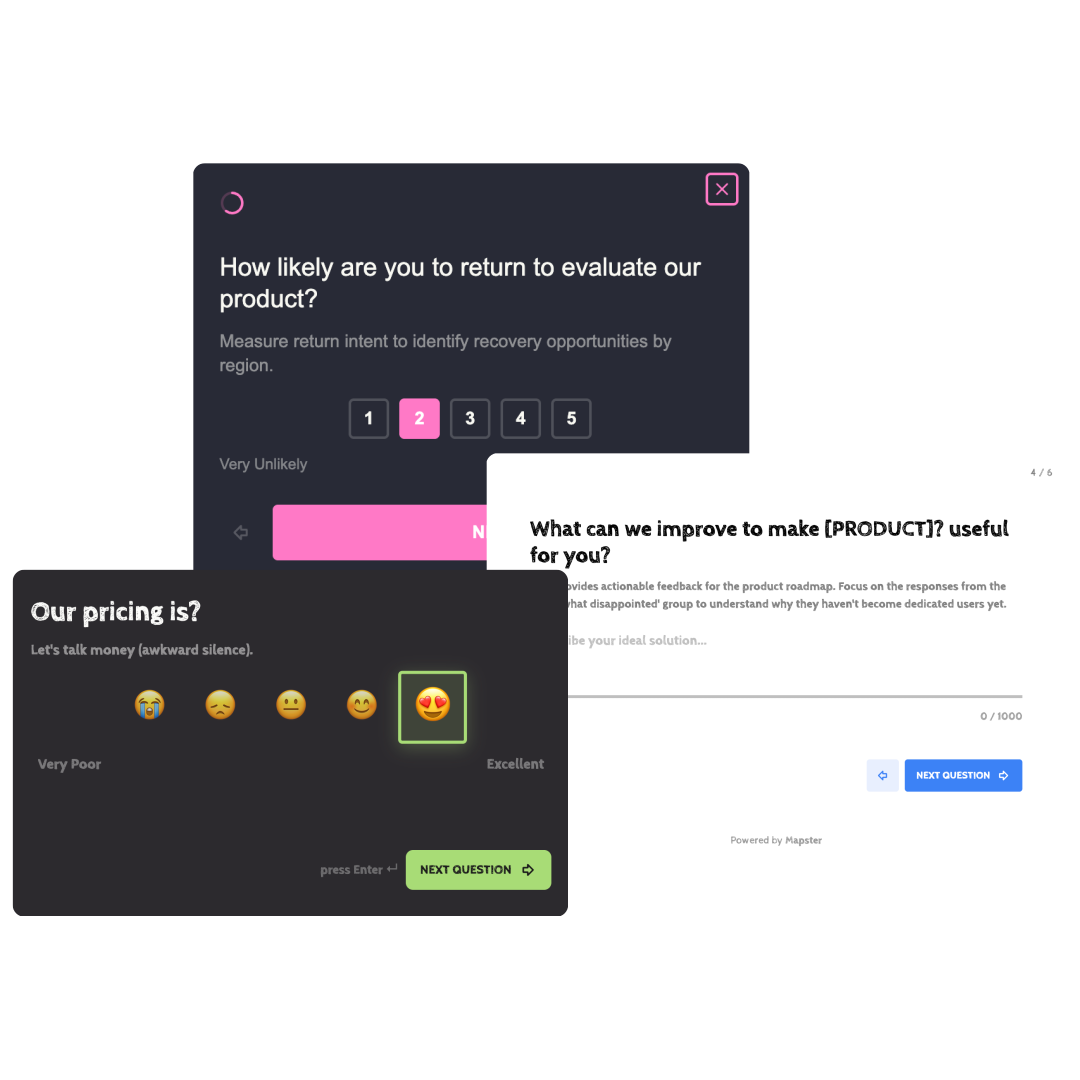
Branded polls that match your product
Not your average poll tool
Most poll makers give you a pie chart of votes. Mapster connects every poll response to a real user so you always know who feels what - and why.
Traditional poll makers
Just a pie chart of total votes
No idea which users chose what
One aggregate number hides the real story
Generic forms that look off-brand
Mapster poll maker
Every response linked to a real user
Sentiment scores segmented by user group
See which plan types or roles feel different
Branded polls that match your product
Everything you need to create
and analyze polls
Mapster is the poll app, poll software, and poll platform that links every response to a real user - not just another vote counter.
Sentiment Tracking
Go beyond vote counts. See how each user group feels about every answer option, not just which one they chose.
Custom Branding
Match your brand colors and logo. Polls that look like part of your product, not a third-party widget.
Multiple Poll Types
Multiple choice, rating scale, yes/no, and open-ended follow-ups. Build the poll format that fits your question.
Real-Time Results
Watch votes come in live as your users respond. No waiting, no manual exports, no spreadsheet wrangling.
User Segmentation
Filter results by plan, role, company size, or any attribute. See how enterprise users differ from free users.
Geo Analytics
See where your poll responses are coming from. Spot regional differences in sentiment without any extra setup.
What to use polls for
Polls are fast, focused, and effective for decisions that need quick user input - without the overhead of a full survey.
Feature prioritization
Ask users which feature they want next. Run the poll inside your product so only active users vote - and segment results to see what enterprise users want vs free users.
Satisfaction checks
Quick one-question pulse polls after onboarding, support interactions, or feature releases. Get a sentiment score without asking users to fill out a full survey.
Product decisions
Validate a direction before you build. Show users two options and ask which they prefer. Results segmented by user type give you confidence the right segment is driving the decision.
Content and messaging
Ask which headline resonates, which pricing model makes more sense, or which value proposition lands. Use poll data to back up positioning decisions with actual user input.
How to create a poll in 4 steps
Go from zero to a live poll in under 5 minutes. No design skills or code required.
Sign up and open the poll creator
Create a free Mapster account - no credit card needed. From your dashboard, click "Create Survey" to open the poll builder. Pick a blank template or start from one of the pre-built poll formats.
Add your poll question and answer options
Write your question and add the answer choices. Choose the question format - multiple choice, rating scale, yes/no, or add an open-ended follow-up so users can explain their vote in their own words.
Brand it to match your product
Add your logo, set your brand colors, and customize the look so the poll feels like a natural part of your product - not a generic third-party form that breaks the user experience.
Share and watch results come in
Share via a direct link, embed on your website, or trigger the poll inside your app with a single JavaScript snippet. Results appear on your dashboard in real time, segmented by user group automatically.
Types of polls you can create
The right poll format depends on the question you are asking. Mapster supports all the common types.
Multiple choice poll
Give users 3–5 options and let them pick one. Best for feature prioritization, preference checks, and any question with a clear set of answers.
Rating scale poll
Ask users to rate something on a 1–5 or 1–10 scale. Gives you a quantitative score you can track over time and compare across user segments.
Yes / No poll
The fastest poll format. One question, two options. Use it to get a quick directional signal from a large number of users without survey fatigue.
NPS poll
The standard Net Promoter Score question - "How likely are you to recommend us?" - run as a quick in-product poll with segmentation built in.
Opinion poll
Open-ended polls that ask users to share their perspective in their own words. Great for generating qualitative insight alongside vote counts.
Website poll
Polls triggered on your website based on scroll depth, time on page, or exit intent. Capture visitor feedback without interrupting the browsing experience.
Trusted by over 100+ startups worldwide
Powerful Analytics
Analytics that connect the dots for you
See trends, patterns, and priorities without digging through spreadsheets.
Geo Analytics
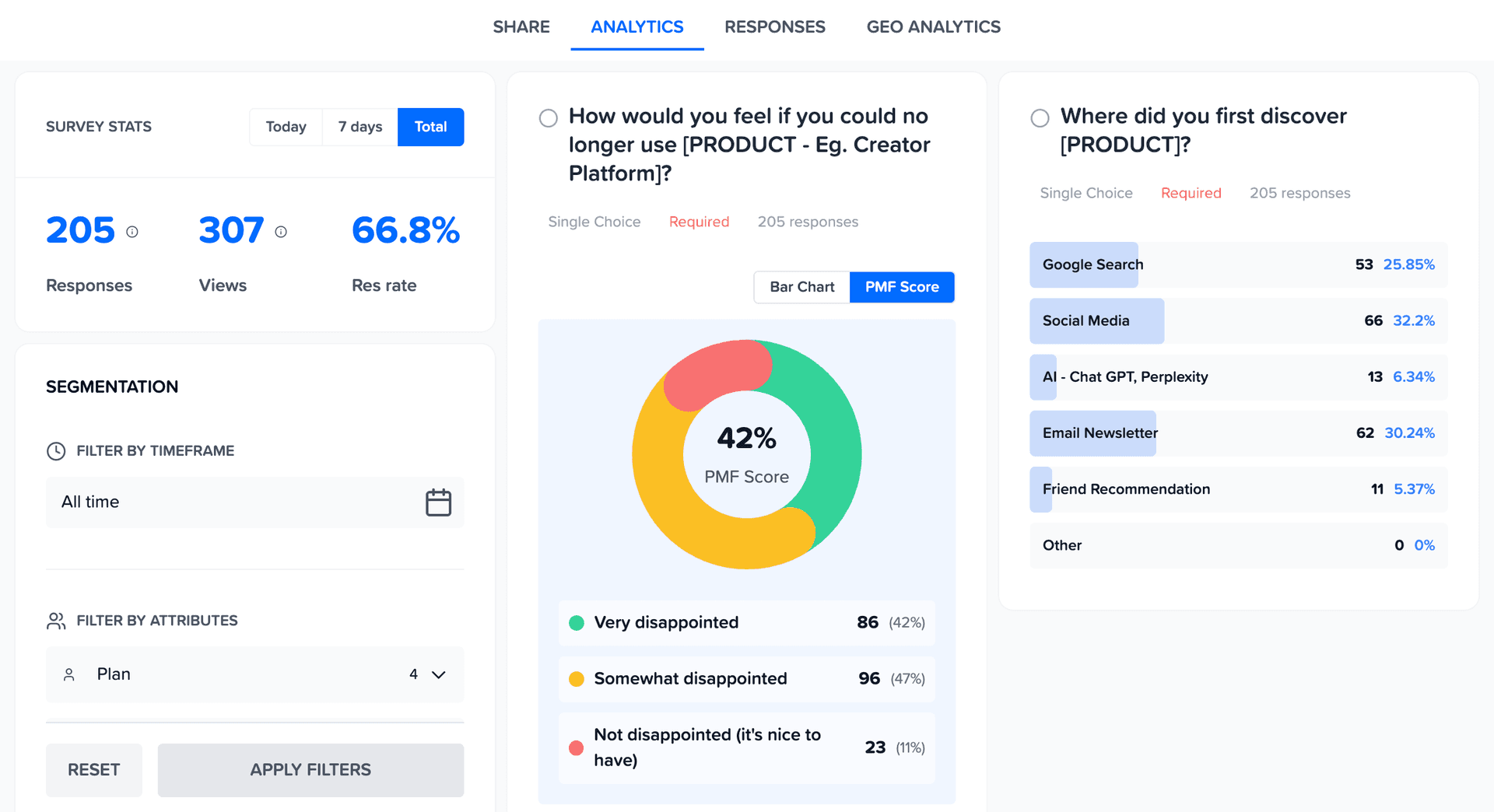
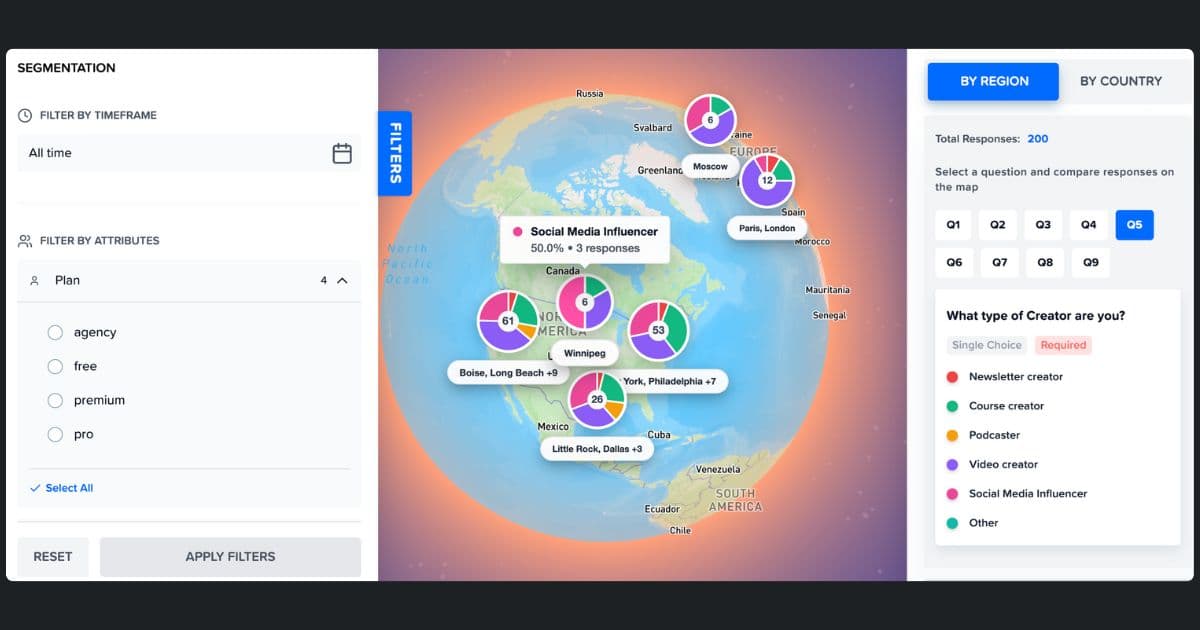
See Feedback on World Map
Your US customers love you. Your EU customers are frustrated. You'd never know from an average. Map feedback by region to spot geographic patterns instantly.
Analyze like a Pro
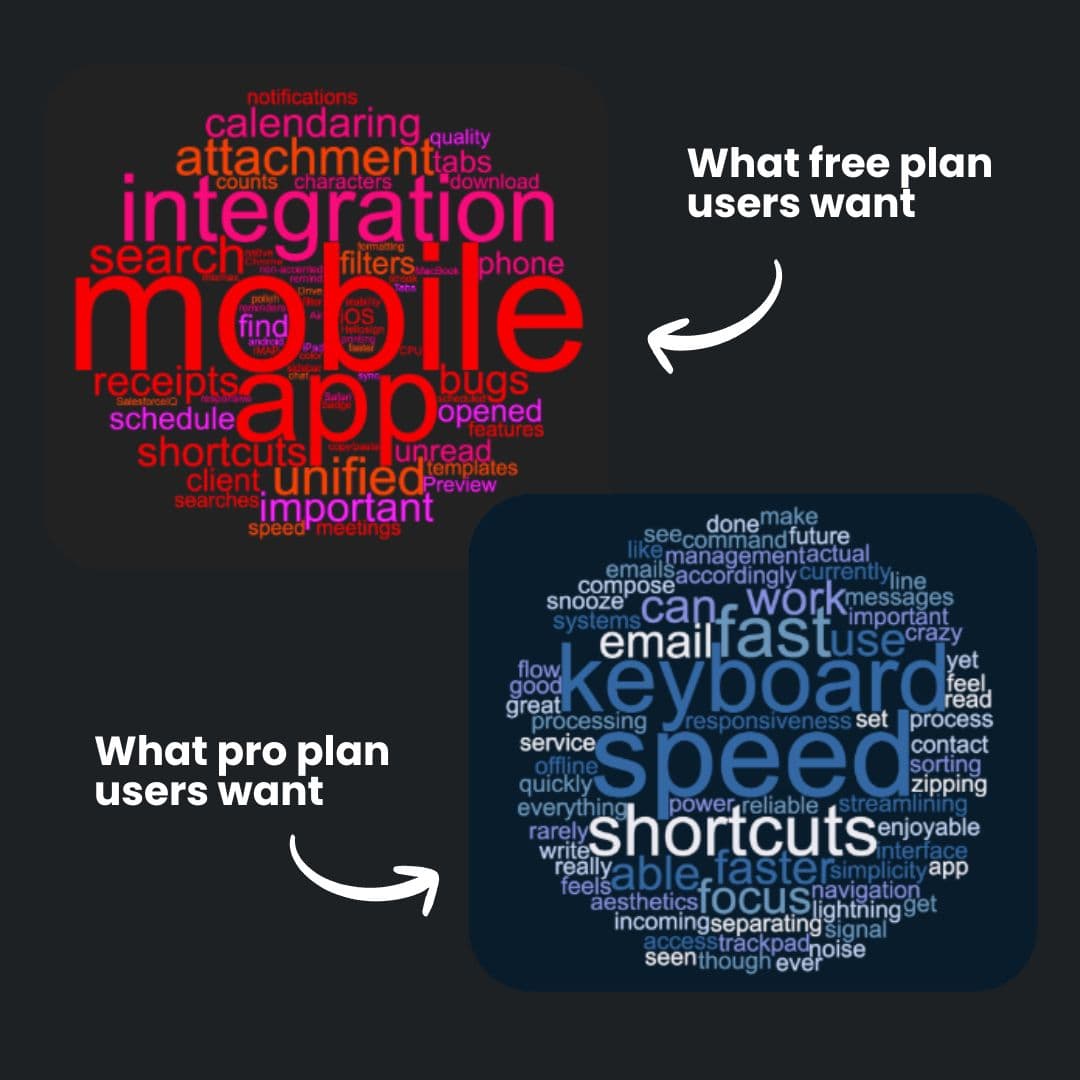
See Word Cloud from Open-Ended Feedback
See what each segment is actually saying. One word cloud per segment - so you know what matters to who.
- ✓Auto-generated from survey responses
- ✓Filter by segment to see different priorities
- ✓Spot patterns without reading every response
Build like a Pro
Surveys that look like your product
Match your surveys to your product. Custom colors, logo, and styling — so feedback collection feels native, not third-party.