

Free website feedback survey tool
Website Feedback Survey for Visitor Feedback
Add a website feedback survey with one script tag
Free templates, ready-to-use website feedback survey questions, and an embeddable website feedback form for any page.
No credit card required
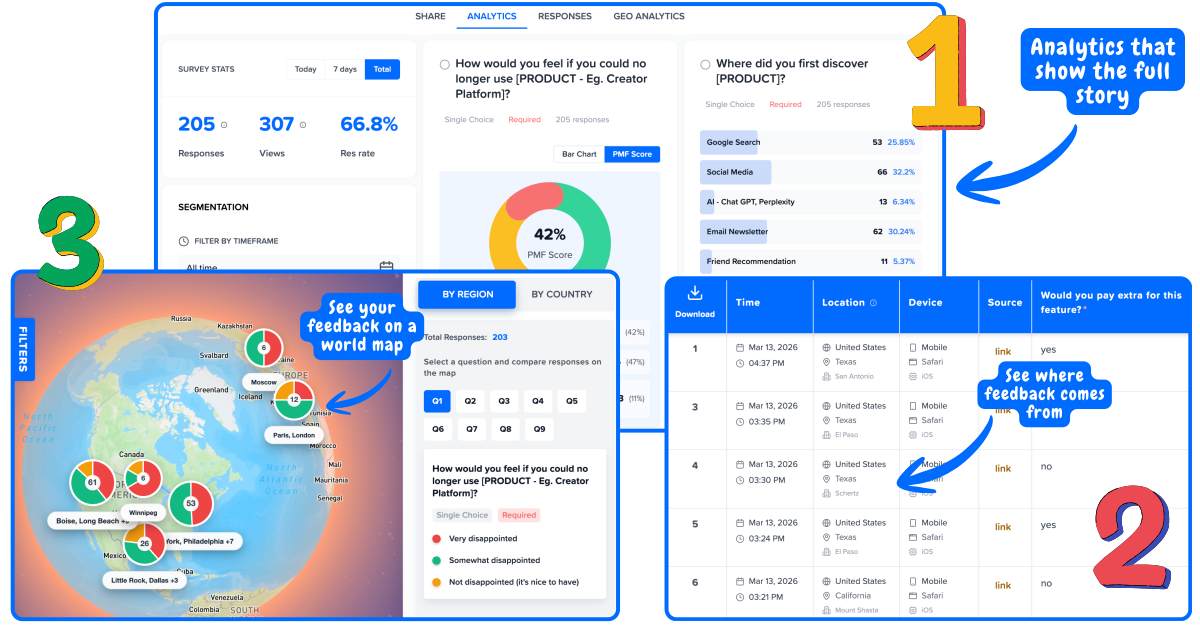
Modern analytics, not clunky dashboards
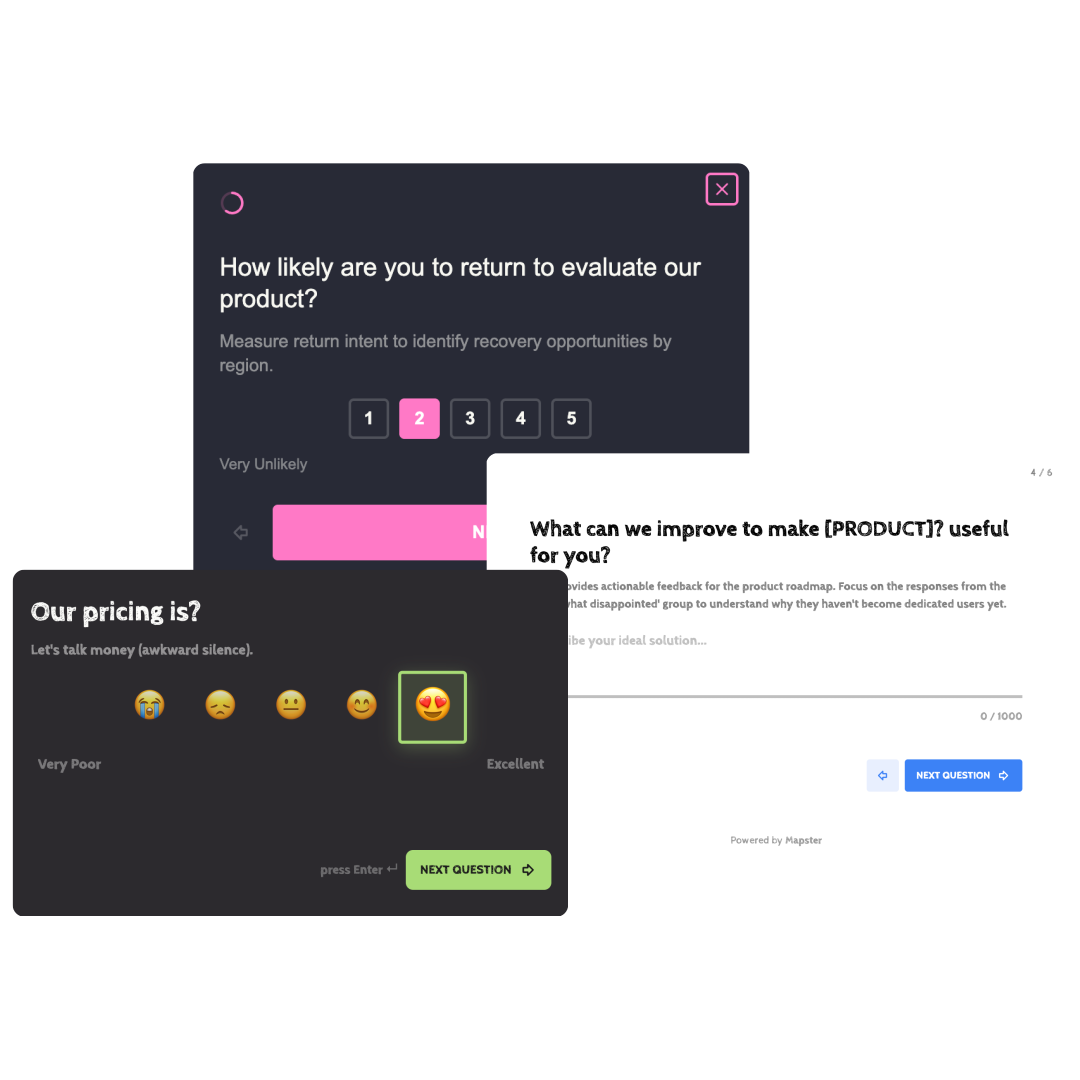
Website surveys that match your brand
Add website surveys in under 10 minutes
One script tag on your site. No backend. Launch and update surveys from the dashboard.
01
Paste one script tag
Add the Mapster snippet to your site's <head> or load it via a tag manager - the same way you install Google Analytics or Hotjar.
02
Target by page and behavior
Choose which pages show the survey, and when: after a scroll depth, time on page, exit intent, or a click on any element. No code deploys needed.
03
See feedback by visitor source
Every response includes the page URL, referrer, traffic source, and geo location. See what organic visitors say vs. paid ad visitors - not one blended average.
Why add surveys to your website?
Your visitors already have opinions. Give them a way to share them before they leave.
Without website surveys
Visitors leave without a word
No idea why pages underperform
Guessing what content to improve
Analytics tell you what, not why
With website surveys
Capture feedback on any page
Know why visitors bounce or convert
Prioritize changes based on real feedback
See feedback by location and source
Know which visitor gave
what feedback
Trusted by over 100+ Startups worldwide
What a website feedback survey tells you
A website feedback survey answers the questions your analytics can't - why visitors behave the way they do.
Page-level targeting
Show different surveys on your pricing page, homepage, and blog. Ask the question that matters most on each page - not one generic question across every URL.
Traffic source attribution
See if visitors from paid ads, organic search, and social give different feedback. Know which channels bring visitors who actually find what they're looking for.
Geo analytics
Map responses by country and region. If your EU visitors are frustrated and your US visitors are satisfied, that's a localization issue - not a product issue.
Exit intent surveys
Catch feedback from visitors who are about to leave. Find out why they didn't convert while they still remember - before they're gone for good.
Scroll-triggered surveys
Wait until a visitor has read 60% of a page before asking for feedback. Only engaged readers answer - so responses are more considered and useful.
Individual response view
See every response alongside the page URL, referrer, country, and browser. Spot patterns that aggregated scores hide - like one page driving all the negative feedback.
Types of website feedback surveys
Different pages need different questions. Here are the most effective website survey formats and when to use them.
Feedback widget
Always-on"How would you rate your experience on this page?"
Collect passive feedback on any page without interrupting visitors. Best for high-traffic pages where you want continuous signal.
Exit intent survey
On exit"What stopped you from signing up today?"
Your last chance to understand why a visitor is leaving without converting. Show when the cursor moves toward the browser tab.
Post-scroll survey
After 60% scroll"Did this page answer your question?"
Only ask engaged readers. Filters out visitors who bounced immediately - the people who answer have actually read your content.
NPS survey
After sign-up or key action"How likely are you to recommend us to a friend?"
Track loyalty from your website visitors. Run on post-sign-up confirmation pages or after a free trial starts.
CSAT survey
After support or docs"How satisfied were you with this page?"
Measure satisfaction with specific content - support docs, onboarding guides, or help articles. Find what needs rewriting.
PMF survey
After first use"How disappointed would you be if you could no longer use this product?"
Run the Sean Ellis PMF test on your visitors. Benchmark whether your site's messaging attracts the right people.
Website feedback survey questions
The right website feedback survey question depends on the page and the moment. Here are 10 proven questions to ask, organized by intent.
Intent / discovery
"What brought you to our site today?"
When to ask: Homepage, after 15 seconds
Conversion blocker
"What's stopping you from signing up?"
When to ask: Pricing page, on exit intent
Content fit
"Did this page answer your question?"
When to ask: Blog or docs, after 60% scroll
Expectation gap
"Did you find what you were looking for?"
When to ask: Landing page, on exit
Friction discovery
"What was the hardest part of using our site?"
When to ask: After signup or first task
Improvement signal
"What is one thing we could do better?"
When to ask: Any page, scroll-triggered
Persona qualifier
"Which best describes you?"
When to ask: Homepage, on entry
Loyalty (NPS)
"How likely are you to recommend us?"
When to ask: Post-signup or success page
Satisfaction (CSAT)
"How satisfied are you with this page?"
When to ask: Docs or support article
Pricing perception
"What would the right price feel like for this?"
When to ask: Pricing page, after 30 seconds
Keep website feedback survey questions to one per page. Visitors who answer one question complete at 3-5x the rate of multi-question forms.
Website feedback examples
Four website feedback examples that show what good feedback actually looks like - and how teams use it to ship better pages.
Example 1
Pricing page: 70% bounce, no idea why
Question shown
"What's stopping you from signing up?"
Feedback received
"I can't tell if the $19 plan includes the integrations I need."
Action taken
Added an integrations table directly on the pricing page. Bounce dropped 18% within 2 weeks.
Example 2
Blog post: high traffic, low conversions
Question shown
"Did this article answer your question?"
Feedback received
"Mostly. But I came looking for a template, not a guide."
Action taken
Added a downloadable template at the top of the post. Email signups from the post 3x in a month.
Example 3
Landing page: ad clicks expensive, no signups
Question shown
"Did this page match what you expected from the ad?"
Feedback received
"The ad said 'free for teams' but this page only shows individual pricing."
Action taken
Rewrote the landing page hero to lead with team pricing. Cost-per-signup down 41%.
Example 4
Docs page: support tickets keep asking same thing
Question shown
"Did this answer your question?"
Feedback received
"It explains what the feature does but not where to find it in the UI."
Action taken
Added a 30-second screenshot walkthrough. Related support tickets dropped 60%.
Website feedback form vs website feedback survey
Same goal, different shapes. Which one to embed depends on visitor intent.
Website feedback form
An always-on form visitors find and fill out when they have something to say. User-initiated, no trigger.
- • Lives on a dedicated /feedback page or sticky button
- • Open-ended, 1-3 fields
- • Best for: bug reports, feature requests, general feedback
- • Response volume: low but high-quality
Website feedback survey
A targeted prompt triggered on a specific page, action, or visitor behavior. Visitor doesn't seek it out - it finds them.
- • Triggered on scroll depth, exit intent, or time on page
- • One focused question per page
- • Best for: page-level signal, conversion diagnosis
- • Response volume: high (3-5x a form)
Most teams need both: a website feedback form for unsolicited input plus a website feedback survey on key pages for targeted signal.