Free customer feedback form for SaaS
Customer Feedback Form for Product Teams
A customer feedback form linked to every real user in your product
Free templates, proven customer feedback form questions, and an embeddable form for your SaaS product. Every response tied to a real user.
No credit card required
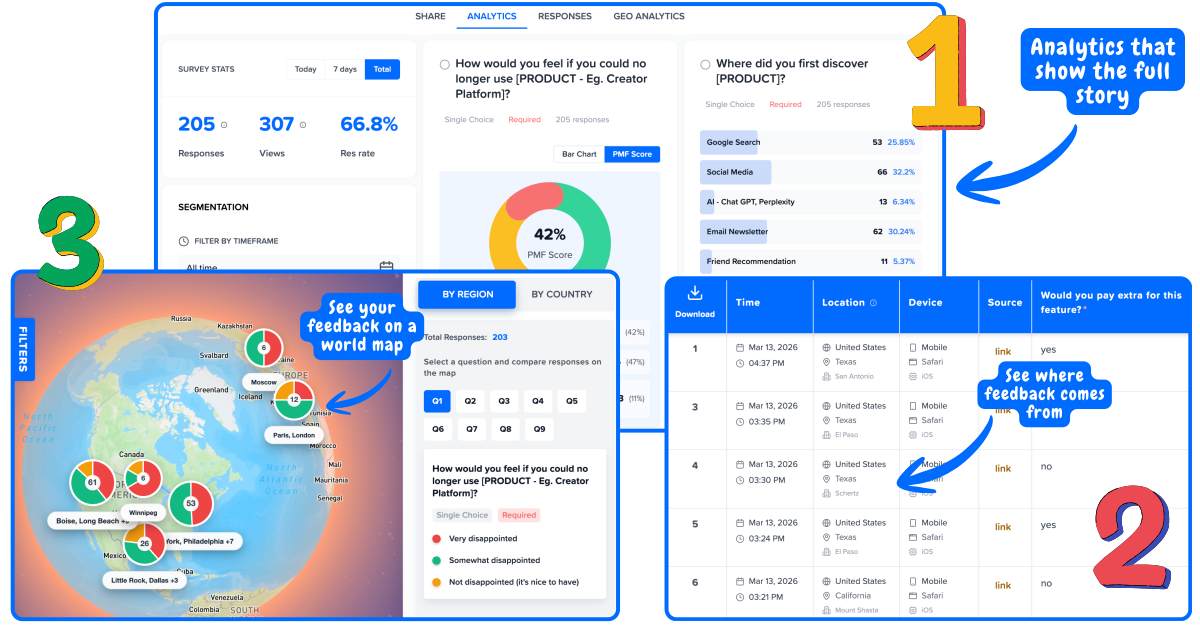
See who submitted what - not just averages
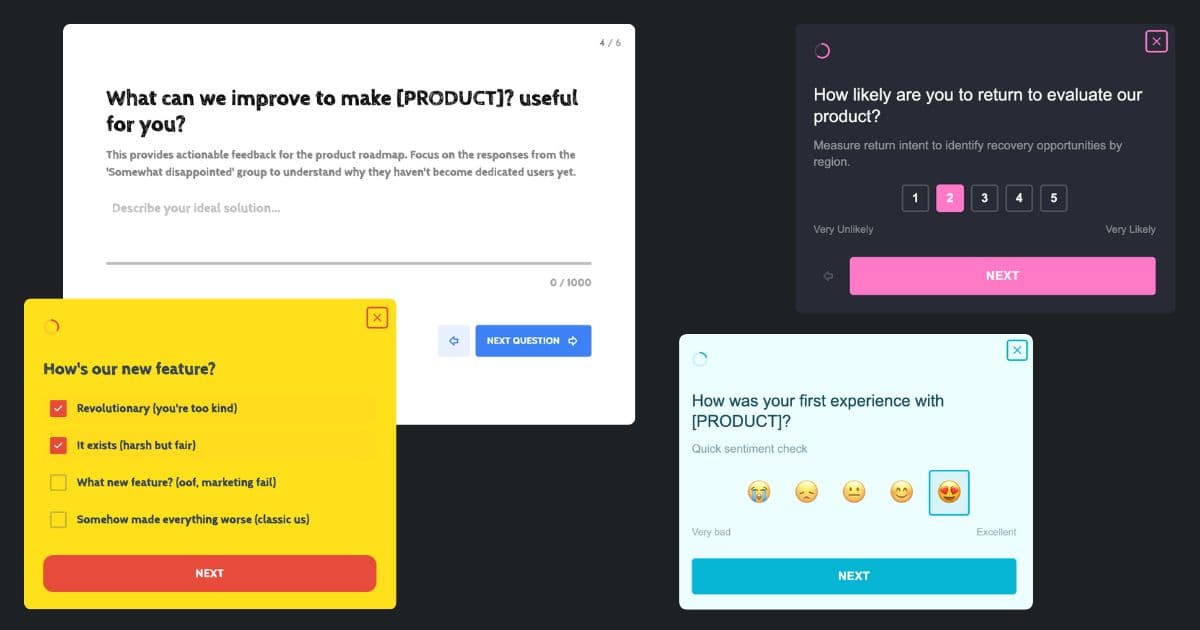
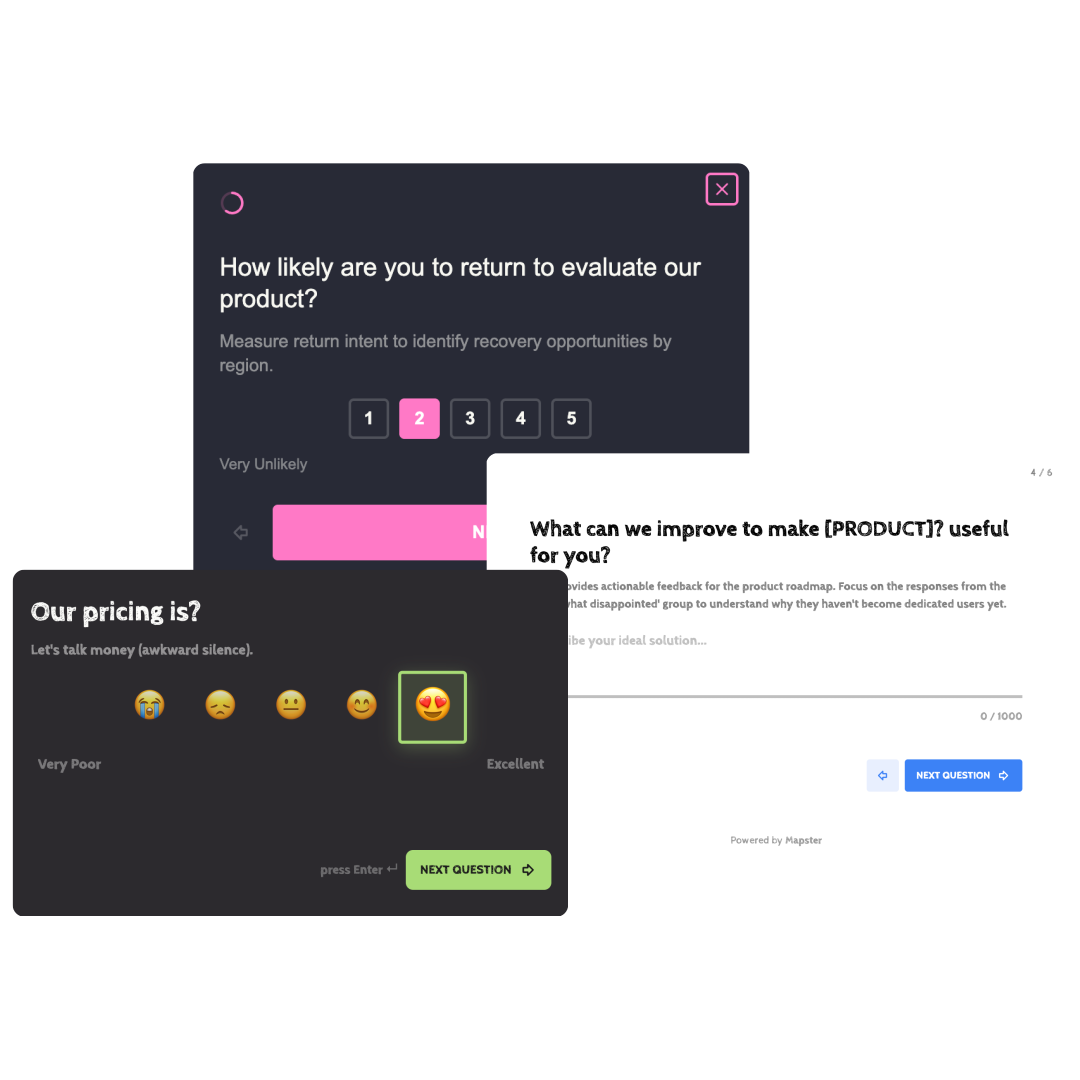
Feedback forms that look like your brand
Not your typical feedback form
Most feedback form builders collect responses into a spreadsheet with no context. Mapster connects every submission to a real user so you know exactly who needs attention.
Traditional feedback forms
Responses dumped into a spreadsheet
No idea who submitted what
Generic forms that look off-brand
No way to segment or follow up
Mapster feedback forms
Every response linked to a real user
See plan, role, and location per response
Branded forms that match your product
Segment results and act on the right users
Everything you need to collect
and act on feedback
Mapster is the feedback form app and feedback form software built for SaaS teams - not a generic form builder that leaves you with a CSV.
Triggered delivery
Show feedback forms at the right moment - after onboarding, after a support ticket closes, on exit, or based on any user action in your product.
Custom branding
Match your brand colors and logo. Feedback forms that look like part of your product, not a third-party widget that breaks trust.
User identity linking
Every response is linked to the user who submitted it. See plan, role, company size, and activity alongside each piece of feedback.
Real-time results
Responses appear on your dashboard instantly. No waiting, no exports, no manual work before you can act.
Segmentation
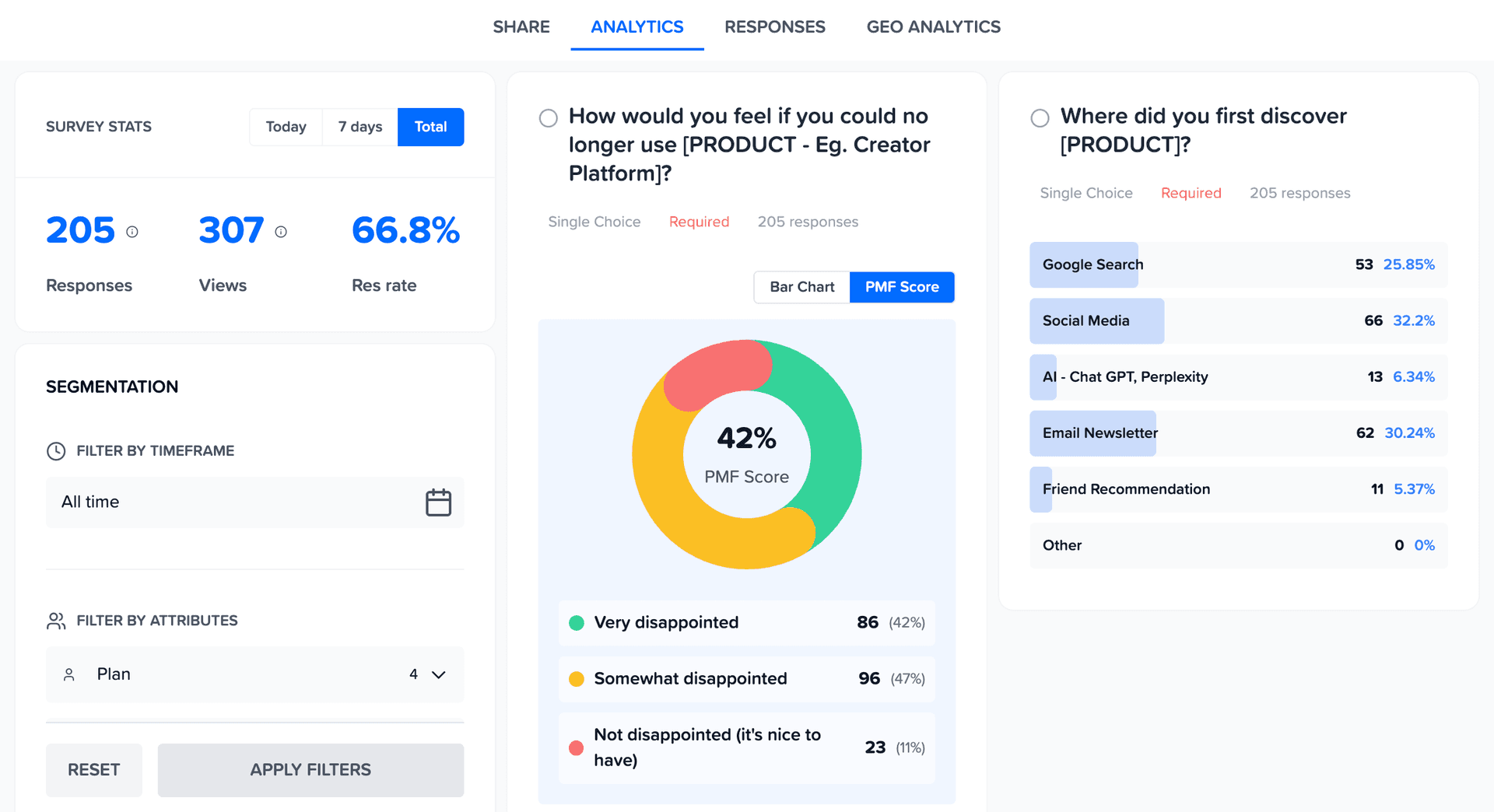
Filter responses by plan, role, cohort, or any attribute. See if enterprise users have different problems than free users.
Multiple question types
Rating scales, NPS, CSAT, multiple choice, open text. Mix question types in a single form to capture scores and reasons together.
When to use a feedback form
Feedback forms work best when they are short, triggered at the right moment, and tied to a specific user action - not sent as a generic email blast.
After onboarding
Ask new users how easy it was to get started and what was confusing. Triggered 48 hours after signup, this form catches users before they churn - while the experience is still fresh.
After support interactions
Send a 1-question satisfaction form after a ticket closes. Segment results by issue type and agent to find where your support process breaks down.
On exit or cancellation
Trigger an exit feedback form when a user cancels or downgrades. The data tells you whether churn is driven by pricing, missing features, or something else entirely.
After a feature release
Show a feedback form to users who have tried a new feature. Ask if it solved the problem it was built for - before you spend more cycles on the wrong direction.
How to create a feedback form in 4 steps
From zero to a live, in-product feedback form in under 10 minutes.
Choose your form type and template
Pick from pre-built feedback form templates - NPS, CSAT, post-support, exit, or product feedback - or start from scratch. Every template is fully customizable and includes the right question types for that moment in the user journey.
Add your questions
Keep it short - the best feedback forms have 1 to 3 questions. Add a rating scale for a quantitative score, then an open-text follow-up asking why. Short forms get dramatically higher response rates than long ones.
Brand it and set your trigger
Add your logo and brand colors. Then decide how the form is delivered - embed it on a page, trigger it inside your product with a widget snippet, or share via direct link. For in-product forms, set the trigger condition: after a specific action, on a timer, or on exit.
Watch responses come in - segmented by user
Every response appears on your dashboard in real time, linked to the user who submitted it. Filter by plan, role, or cohort. See individual responses with full user context so you know exactly which accounts need attention.
Types of feedback forms you can create
Different moments call for different feedback forms. Mapster has templates and question types for all of them.
NPS feedback form
The Net Promoter Score question plus an open-text follow-up asking why. Triggered in-product for active users so results reflect real experience, not recency bias.
CSAT feedback form
A customer satisfaction rating form triggered after support tickets, onboarding calls, or feature interactions. Short enough that users actually complete it.
Product feedback form
Collect structured input on features, usability, and overall product experience. Ask what users love, what frustrates them, and what they wish existed.
Website feedback form
Embed on any page to ask visitors what brought them there, what was unclear, and what would make them take action. Triggered by scroll depth or exit intent.
Exit feedback form
Triggered on cancellation or downgrade. Captures the real churn reason - price, missing features, found an alternative - so you can fix the right problem.
Post-support feedback form
A one-question satisfaction form sent automatically after a support ticket closes. Spot patterns in support quality before they show up in churn data.
Customer feedback form questions
The customer feedback form questions that matter for SaaS teams aren't generic CSAT prompts - they tie to retention, expansion, and churn signals. Here are 12 proven questions to use, grouped by moment.
When to ask
After signup / first login
Diagnose activation friction before churn signals appear.
- 1"What did you hope this product would help you do today?"
- 2"What almost stopped you from completing signup?"
- 3"On a scale of 1-5, how easy was it to get started?"
When to ask
After first value moment (aha)
Capture why the product clicked - their words become your marketing copy.
- 1"What was the main benefit you got from [Product] just now?"
- 2"How would you describe [Product] to a colleague in one sentence?"
- 3"What type of team would benefit most from this?"
When to ask
Mid-trial or active usage
Catch friction while users still have momentum to keep going.
- 1"What is the hardest thing about using [Product] today?"
- 2"If you could change one thing about [Product], what would it be?"
- 3"How likely are you to upgrade to a paid plan? Why?"
When to ask
At cancellation / churn
The single most valuable customer feedback form moment - the one most teams miss.
- 1"What is the main reason you're canceling today?"
- 2"What would have made you stay?"
- 3"Will you consider us again in the future? Why or why not?"
The best customer feedback form questions are specific and tied to a moment. "How are we doing?" gets vague answers. "What almost stopped you from signing up?" gets answers you can act on.
Trusted by over 100+ startups worldwide
Powerful Analytics
Analytics that connect the dots for you
See trends, patterns, and priorities without digging through spreadsheets.
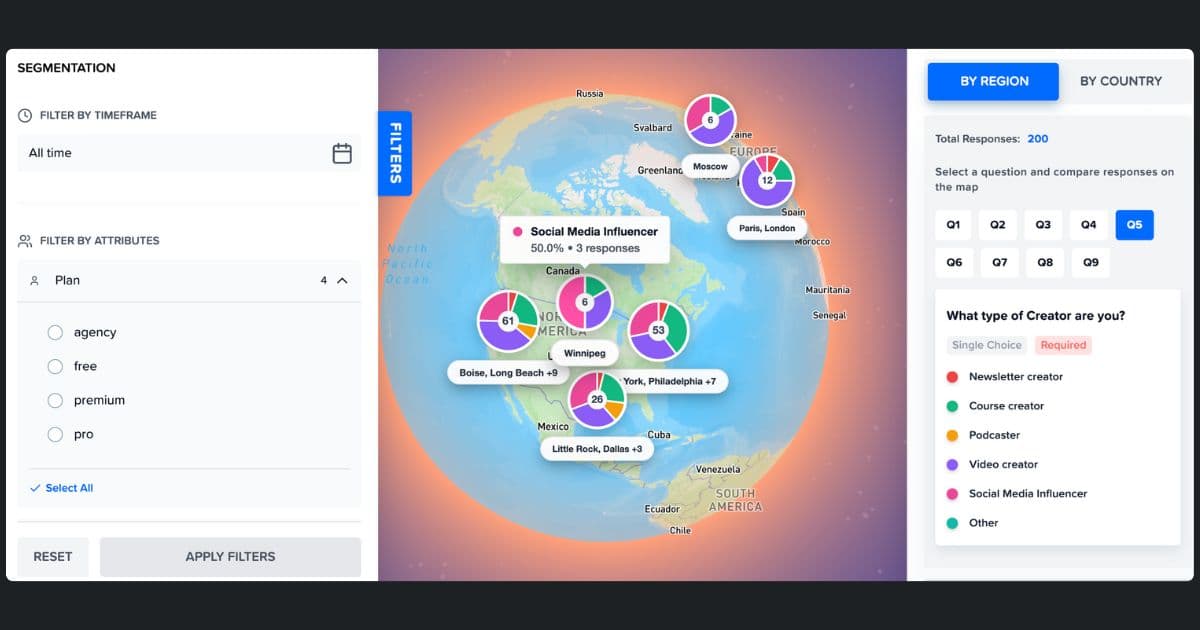
Geo Analytics
See Feedback on World Map
Your US customers love you. Your EU customers are frustrated. You'd never know from an average. Map feedback by region to spot geographic patterns instantly.
Analyze like a Pro
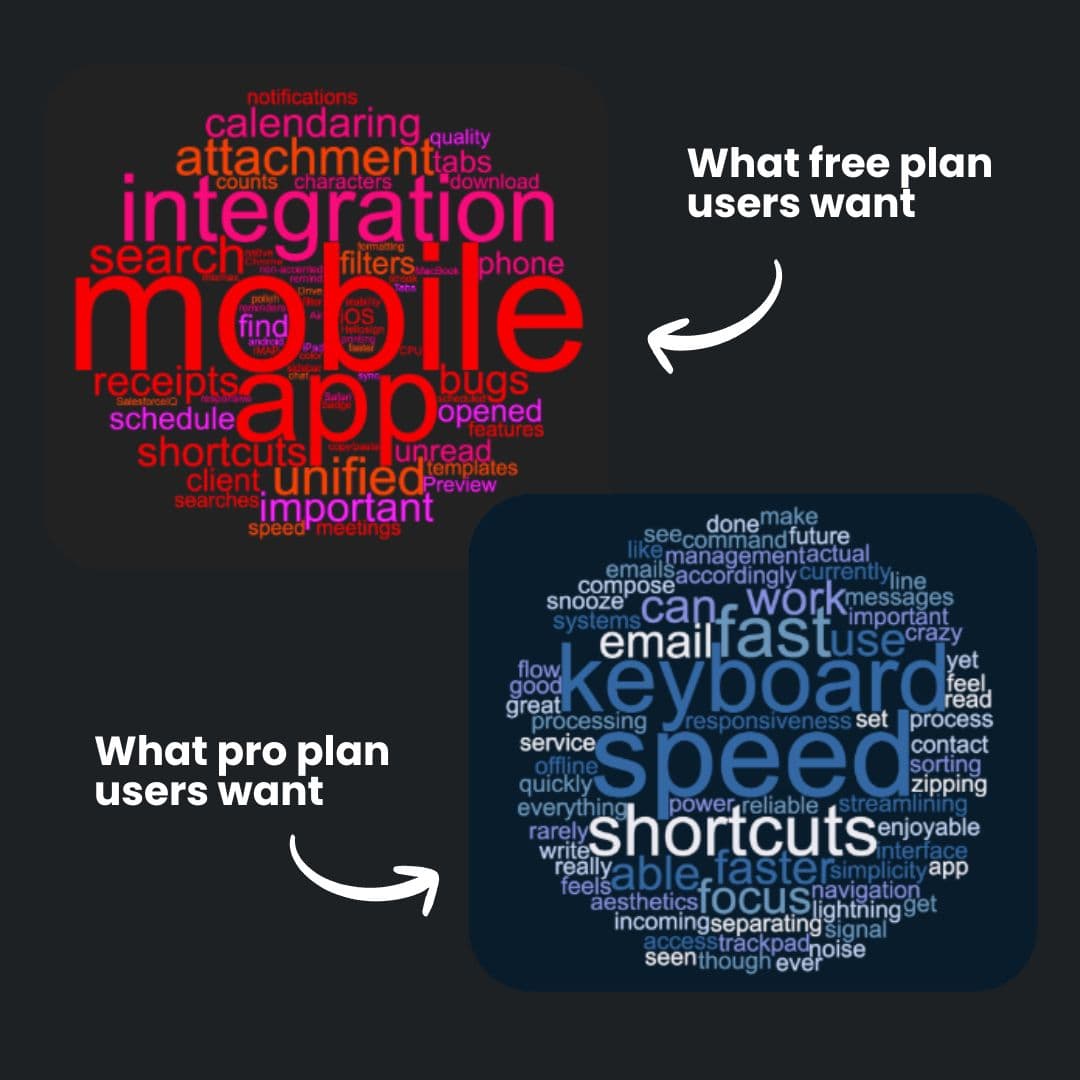
See Word Cloud from Open-Ended Feedback
See what each segment is actually saying. One word cloud per segment - so you know what matters to who.
- ✓Auto-generated from survey responses
- ✓Filter by segment to see different priorities
- ✓Spot patterns without reading every response
Build like a Pro
Surveys that look like your product
Match your surveys to your product. Custom colors, logo, and styling — so feedback collection feels native, not third-party.