

Free Tool
Free Google Forms QR Code Generator
Paste any Google Form URL. Get a downloadable QR code in seconds. No signup, no watermark, no submission limits.
Your URL stays in your browser. Nothing is stored on our servers.
How to create a QR code for a Google Form
Three steps. Under 30 seconds.
Copy your Google Form link
Open your form, click Send, switch to the link tab (the second icon), and copy the URL. The short link from forms.gle works too.
Paste it into the generator above
Drop the URL into the input field. The Generate button activates the moment a valid URL is detected.
Download the PNG
Click Download. Save the file. Drop it into your design tool, poster, business card, restaurant table tent, or event sign.
Honest detour
Need a better and free Google Forms alternative?
Google Forms is a solid choice for simple, one-off surveys. It's free, easy to use, and integrates well with other Google services.
Use Google Forms when:
- You need a one-off form for an event or a class.
- Anonymous responses are fine (or even preferred).
- You just want a spreadsheet of answers and nothing more.
- Total volume is small and you will read every response by hand.
That covers a lot of cases. Print the QR code and ship it. Below is what to read next if it does not cover yours.
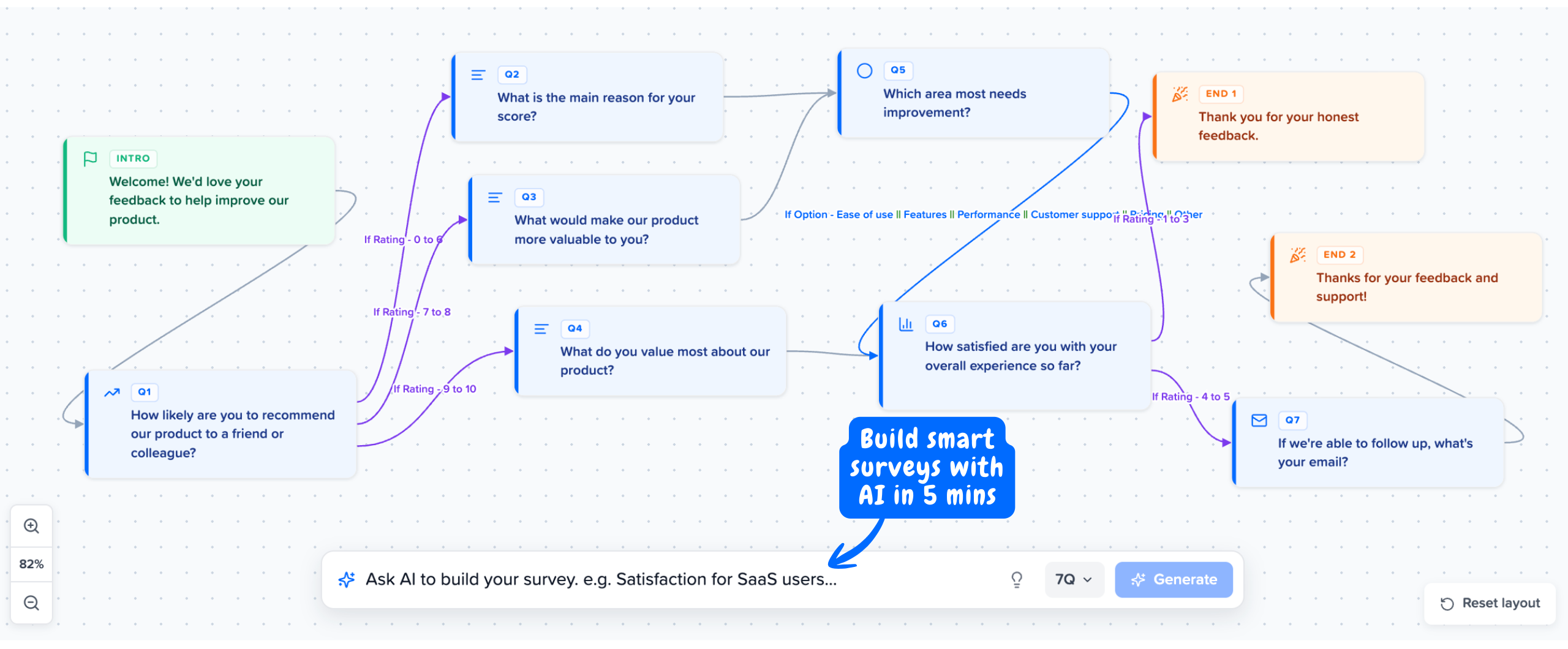
Build smart Surveys with Branching Logic using Mapster
Route users to relevant questions based on their answers. Higher completion rates, cleaner data, no dead ends.
No credit card required
Where Google Forms stops being enough
Four scenarios where the Google Form plus a QR code hits a wall. If any of these describe your workflow, a purpose-built feedback tool will save you hours every month.
You need to know who answered
Google Forms responses are anonymous unless you collect emails (and even then, only emails). You cannot tie a response back to a user account, plan tier, role, or any custom attribute. "100 people scored 4/10" is useless. "Marc, on Pro plan, in the US, scored 4/10" is a CS ticket.
You need NPS, CSAT, or CES scoring
Google Forms gives you raw numbers in a spreadsheet. Calculating NPS (percentage of promoters minus percentage of detractors), CSAT (percentage of 4 to 5 ratings), or CES (average effort score) means manual formulas every time. Mapster scores them automatically with segmentation built in.
You want to survey users inside your product
A QR code on a poster gets scanned by maybe a few percent of the people who see it. An in-app widget triggered by user behaviour gets 20 to 40% response rates. Google Forms does not run inside your product. You can iframe it, but that is not the same as a native widget tied to user identity.
You need to segment to find the actual problem
An average score hides the truth. "CES 5.1" might mean billing scored 3.8 and onboarding scored 6.4. Google Forms cannot filter responses by plan, role, or any user attribute. Without segmentation, the data points at nothing in particular.
What a Mapster response looks like vs a Google Form response
The difference is not what you ask. It is what you get back.
Google Forms response
Timestamp: 2026-05-22 14:33
Score: 4
Comment: support is too slow
You have a complaint. You have no idea who said it, what plan they are on, where they are, or what they were doing. The next step is a manual lookup that may or may not be possible.
Mapster response
User: Marc Klein
Plan: Pro ($49/mo)
Location: Berlin, DE
Signed up: 11 months ago
Triggered after: support ticket #4821 resolved
Score: 4/10
Comment: support is too slow
Same answer. Now you know who, where, on which plan, after which interaction. CS can reach out by name within an hour. The next step writes itself.
Analyze Feedback with Context
Rich insights without the spreadsheet headache.

Mapster vs Google Forms
Same goal: collect responses. Different output: a spreadsheet vs a feedback system.
| Capability | Google Forms | Mapster |
|---|---|---|
| Response identity | Anonymous unless you collect emails | Every response linked to a user account |
| Segmentation | None | By plan, role, region, or any custom attribute |
| NPS / CSAT / CES scoring | Manual formulas in a spreadsheet | Built-in with automatic scoring |
| PMF survey (Sean Ellis) | Build from scratch | Built-in template |
| In-product widget | Iframe only | Native JS widget, behavioural triggers |
| Response rate (in-app) | Link / QR only | 20 to 40% with in-app trigger |
| Analytics | Basic summary charts | Real-time dashboard with segmentation and geo |
| QR code | Not built in (you needed this page) | Same QR works, plus link, email, or in-app delivery |
| Price | Free | Free plan available, Pro from $8/mo |
Comparing alternatives in detail? Read the full Mapster vs Google Forms breakdown.
Cheaper than the premium tools. Better than the free ones.
Google Forms is free but looks like a homework assignment and gives you anonymous answers. Typeform and Sprig look great and cost $99 to $175 a month. Mapster sits in the middle of the price chart and on top of the feature chart.
Generic free
Google Forms
$0
Anonymous responses
Best value
Mapster
$8/mo
Free plan available
Premium
Typeform, Sprig
$99+
Per-seat pricing
Surveys where every response is linked to a real user
NPS, CSAT, CES, and PMF surveys triggered inside your product or sent by link. Every response tagged with plan, role, and location. Free plan available, Pro from $8/mo.
Try Mapster FreeNo credit card required